Best AI Productivity Tools 2026: Boost Your Efficiency and Get More Done
- Why AI Productivity Tools Matter More Than Ever in 2026
- Best AI Writing and Content Creation Tools
- 1. ChatGPT (OpenAI) — The All-Around Powerhouse
- 2. Jasper AI — Enterprise Content at Scale
- 3. Notion AI — Smart Writing Inside Your Workspace
- Best AI Tools for Meeting Productivity
- 4. Otter.ai — Never Lose a Meeting Insight Again
- 5. Fireflies.ai — Collaboration-Focused Meeting Intelligence
- Best AI Tools for Task and Project Management
- 6. Motion — AI-Powered Scheduling That Actually Works
- 7. ClickUp AI — Project Management with Intelligent Assistance
- 8. Asana Intelligence — Enterprise-Grade AI Workflow Management
- Best AI Tools for Email and Communication
- 9. Superhuman — The Fastest Email Experience Ever Built
- 10. Grammarly — Beyond Spell-Check, Into Strategic Communication
- Best AI Tools for Research and Knowledge Management
- 11. Perplexity AI — The AI-Powered Research Assistant
- 12. Mem — Your AI-Powered Second Brain
- Best AI Tools for Automation and Workflow Building
- 13. Zapier AI — No-Code Automation at a New Level
- 14. Make (formerly Integromat) — Advanced Visual Automation with AI
- How to Choose the Right AI Productivity Tools for You
- Step 1: Identify Your Biggest Time Drains
- Step 2: Start with One Category
- Step 3: Evaluate Integration Potential
- Step 4: Consider Total Cost vs. Time Saved
- Frequently Asked Questions About AI Productivity Tools
- Conclusion
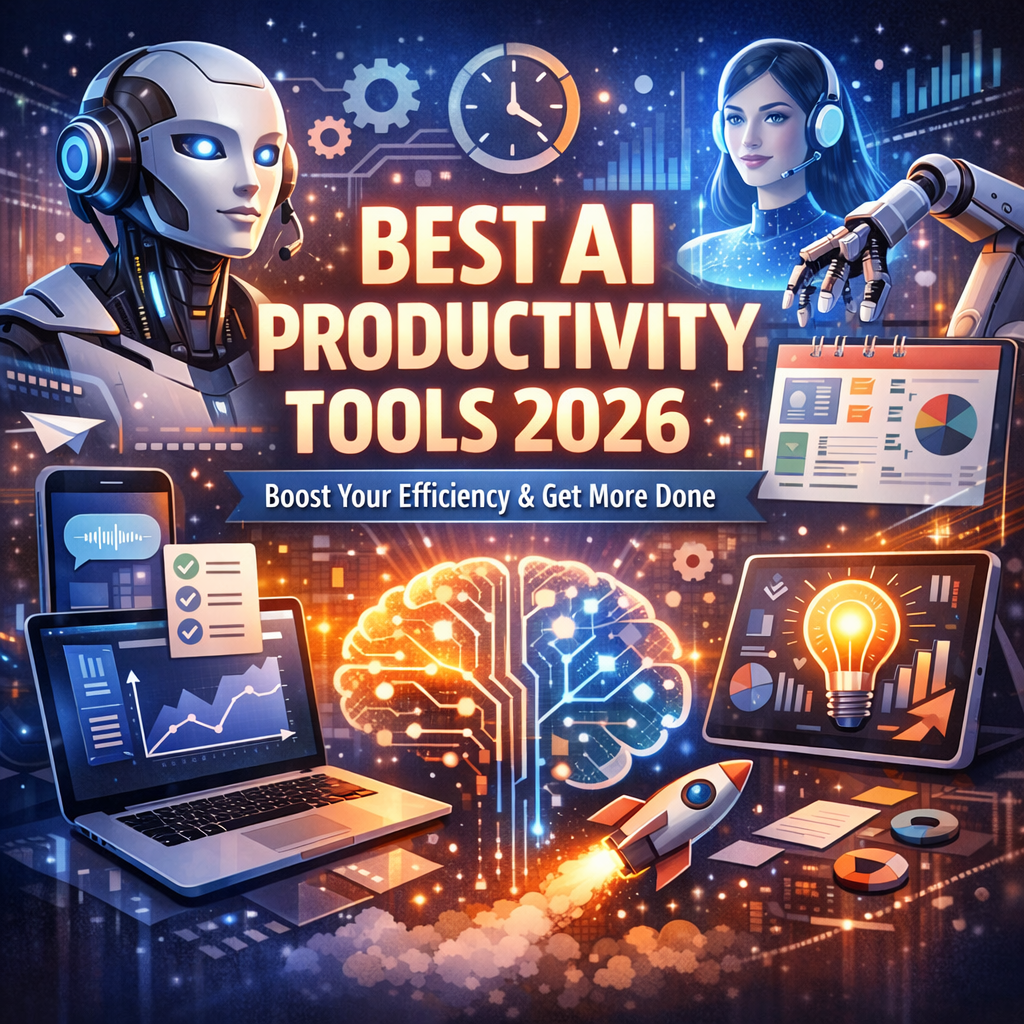
Best AI Productivity Tools 2026: The Ultimate Guide to Working Smarter
The way we work has changed dramatically over the past few years. What started as a trickle of AI-powered assistants has become a full-on flood of intelligent tools designed to automate the mundane, amplify our creativity, and help us accomplish more in less time. If you’re still relying on the same workflows you used three years ago, you’re likely leaving significant productivity gains on the table.
In 2026, the best AI productivity tools aren’t just novelties — they’re essential infrastructure for professionals, freelancers, entrepreneurs, and teams of every size. This guide breaks down the top tools across key categories, explains what makes each one worth your attention, and helps you figure out which ones deserve a place in your daily workflow.
Whether you’re trying to reclaim your inbox, supercharge your writing, automate repetitive tasks, or manage complex projects without losing your mind, there’s an AI tool built specifically for your problem.
Why AI Productivity Tools Matter More Than Ever in 2026
The modern professional is drowning in information. Between emails, Slack messages, video meetings, project updates, and content creation demands, the average knowledge worker spends more than 60% of their time on coordination and communication tasks rather than the deep work that actually drives value.
AI productivity tools change that equation. By handling the repetitive, time-consuming layers of knowledge work, they create space for human creativity, judgment, and strategic thinking — the things machines still can’t fully replicate.
Beyond individual benefit, organizations that have adopted AI productivity stacks are reporting measurable outcomes:
- 25–40% reduction in time spent on administrative tasks
- Faster turnaround on content, reports, and proposals
- Improved decision-making through better data synthesis and summarization
- Lower burnout rates as employees offload cognitive load to intelligent tools
The tools covered in this guide represent the cutting edge of what’s available in 2026. Some have evolved from earlier versions you may already know. Others are relatively new arrivals that have quickly established themselves as category leaders.
Best AI Writing and Content Creation Tools
1. ChatGPT (OpenAI) — The All-Around Powerhouse
ChatGPT remains one of the best AI productivity tools in 2026, particularly for writing, brainstorming, and research. With GPT-5 and its successors powering the platform, the quality of long-form content, nuanced editing, and contextual reasoning has reached a level that genuinely rivals skilled human writers for many use cases.
Best for: Drafting blog posts, emails, proposals, ad copy, reports, and scripts; brainstorming ideas; summarizing documents.
What’s new in 2026: Deep integration with productivity suites, real-time web access, long-context memory that remembers your preferences across sessions, and custom AI personas trained on your own style and tone.
Example use case: A marketing manager can paste a rough product brief into ChatGPT, specify the target audience and desired tone, and receive a polished first draft of a landing page within seconds — complete with suggested headlines and CTAs.
2. Jasper AI — Enterprise Content at Scale
Jasper has matured into one of the most sophisticated platforms for teams that produce content at volume. Its brand voice training ensures that every piece of content — no matter which team member generates it — sounds consistent and on-brand.
Best for: Marketing teams, content agencies, and brands managing multiple campaigns simultaneously.
Standout feature: The Brand Voice Kit allows organizations to upload past content, style guides, and messaging frameworks. Jasper then generates all future content using that specific voice, reducing editing rounds dramatically.
Key workflow integration: Jasper connects natively with CMS platforms, social media schedulers, and ad platforms, allowing teams to publish directly without switching between tools.
3. Notion AI — Smart Writing Inside Your Workspace
Notion has evolved from a note-taking app into a full-featured AI-powered workspace. Notion AI doesn’t just help you write — it helps you think. It can summarize meeting notes, extract action items, generate project outlines, and suggest next steps, all within the same environment where your work already lives.
Best for: Individual contributors and teams that use Notion as their primary knowledge management system.
Why it stands out in 2026: The AI understands the context of your entire workspace. Ask it to summarize last month’s project retrospectives and it will pull from multiple pages, synthesize patterns, and present a coherent summary — no copy-pasting required.
Best AI Tools for Meeting Productivity
4. Otter.ai — Never Lose a Meeting Insight Again
Otter.ai has become the gold standard for AI-powered meeting transcription and summarization. In 2026, it goes well beyond simple transcription, offering real-time summaries, automatic action item extraction, and speaker identification with high accuracy.
Best for: Teams with high meeting loads, consultants, journalists, and anyone who needs to reference conversations later.
Standout feature: OtterPilot can join your Zoom, Google Meet, or Microsoft Teams calls automatically, record them, and deliver a structured summary to all participants within minutes of the meeting ending.
Time saved: Users report spending up to 3 fewer hours per week on meeting follow-up and note-taking.
5. Fireflies.ai — Collaboration-Focused Meeting Intelligence
Fireflies takes a slightly different approach by emphasizing collaboration and searchability. Its AI Notetaker records and transcribes meetings, but the real magic is in the search function — you can search across all your past meetings by keyword, topic, or speaker, making it invaluable for organizations with complex, ongoing projects.
Best for: Sales teams tracking client conversations, product teams referencing user research, and legal or compliance-heavy environments.
Integration highlight: Fireflies syncs with CRMs like Salesforce and HubSpot, automatically logging call summaries to contact records and saving hours of manual data entry.
Best AI Tools for Task and Project Management
6. Motion — AI-Powered Scheduling That Actually Works
Motion is one of the most impressive examples of AI productivity done right. Rather than simply giving you a calendar or a to-do list, Motion’s AI continuously reprioritizes and reschedules your tasks based on deadlines, your working hours, your energy patterns, and interruptions.
Best for: Solopreneurs, freelancers, and professionals managing multiple competing priorities.
How it works: You input all your tasks with their deadlines and estimated time requirements. Motion’s AI builds your daily schedule automatically, and when something new comes in or a meeting runs long, it immediately rebuilds your plan to keep you on track without you having to do anything.
Real-world impact: Users consistently report completing more tasks per week simply because the AI eliminates the cognitive overhead of deciding what to work on next.
7. ClickUp AI — Project Management with Intelligent Assistance
ClickUp has long been a favorite for project management, and its AI layer has transformed it into something more powerful. ClickUp AI can write task descriptions, generate project plans from a single sentence brief, summarize threads, and suggest task assignments based on team capacity.
Best for: Cross-functional teams managing complex projects with multiple workstreams.
Killer feature in 2026: The AI Project Generator — describe a project in plain English and ClickUp creates a full project structure with tasks, subtasks, milestones, and suggested deadlines. What used to take a project manager hours now takes minutes.
8. Asana Intelligence — Enterprise-Grade AI Workflow Management
Asana’s AI features are particularly strong for enterprise environments where compliance, auditability, and integration with existing systems matter. Asana Intelligence provides goal tracking, risk identification, and automated status reporting.
Best for: Large organizations and enterprise teams that need AI-powered insights without sacrificing governance and control.
Notable capability: Asana’s AI can identify when a project is at risk — based on task completion rates, dependency bottlenecks, and historical patterns — and proactively alert project managers before a deadline is missed.
Best AI Tools for Email and Communication
9. Superhuman — The Fastest Email Experience Ever Built
Superhuman remains the premium choice for professionals who live in their inbox. Its AI features include instant email summarization, AI-suggested replies, triage assistance, and a “write with AI” function that drafts full responses based on a few keywords you provide.
Best for: Executives, sales professionals, and anyone managing a high-volume inbox.
Time-saving example: Instead of reading a 12-paragraph email chain, Superhuman AI summarizes it in three bullet points and suggests an appropriate reply. What once took 10 minutes can be handled in 45 seconds.
Note: Superhuman is premium-priced, but for professionals whose time is genuinely valuable, the ROI is typically clear within the first week.
10. Grammarly — Beyond Spell-Check, Into Strategic Communication
Grammarly has evolved dramatically. In 2026, it functions as a full communication coach that works across your entire digital life — email, documents, Slack, social media, and more. It doesn’t just fix grammar; it analyzes tone, suggests stronger word choices, flags unclear reasoning, and helps you adapt your writing style to different audiences.
Best for: Everyone who communicates in writing professionally, which in 2026 is essentially everyone.
Advanced feature: The tone detector is particularly useful for cross-cultural teams. Grammarly can flag when a message might come across as too blunt, too passive, or ambiguous — and suggest adjustments that preserve your meaning while improving your impact.
Best AI Tools for Research and Knowledge Management
11. Perplexity AI — The AI-Powered Research Assistant
Perplexity has become the go-to tool for professionals who need fast, cited, reliable answers. Unlike basic search engines, Perplexity synthesizes information from multiple sources, presents a coherent answer, and provides citations you can verify — all in seconds.
Best for: Researchers, consultants, journalists, and anyone who spends significant time gathering information.
Why it beats traditional search: When you ask a complex question, Perplexity doesn’t return a list of links you have to click through. It reads those sources, extracts the relevant information, and presents a synthesized answer with source attribution. Research that once took 30 minutes can be completed in 5.
12. Mem — Your AI-Powered Second Brain
Mem is a note-taking and knowledge management tool built around AI from the ground up. As you add notes, articles, and ideas, Mem’s AI automatically connects related information, surfaces relevant past notes when you’re working on something new, and helps you find things even when you can’t remember exactly what you wrote or where you put it.
Best for: Knowledge workers, researchers, and anyone who struggles to find and leverage their accumulated notes and ideas.
Standout 2026 feature: Mem’s “Smart Write” function uses everything you’ve ever added to your Mem database as context. When drafting a document, Mem can pull in relevant past notes, research, and ideas automatically, helping you build on previous thinking rather than starting from scratch.
Best AI Tools for Automation and Workflow Building
13. Zapier AI — No-Code Automation at a New Level
Zapier has been a workflow automation staple for years, but its AI capabilities have transformed what’s possible for non-technical users. In 2026, you can describe a workflow in plain English — “whenever I get an email with an invoice attached, save it to Google Drive and add a row to my accounting spreadsheet” — and Zapier’s AI builds the automation for you.
Best for: Small business owners, operations managers, and anyone who wants to automate without hiring a developer.
Impact example: A small e-commerce team replaced five hours of weekly manual data entry with a single AI-built Zapier workflow in under 15 minutes.
14. Make (formerly Integromat) — Advanced Visual Automation with AI
Make is the choice for teams that need more complex automation logic. Its visual workflow builder combined with AI assistance makes it possible to create multi-step, conditional automations that would otherwise require custom code.
Best for: Technical teams, agencies, and businesses with complex multi-system workflows.
AI advantage: Make’s AI can analyze your existing processes and suggest automation opportunities you hadn’t considered — essentially auditing your workflows for efficiency gains.
How to Choose the Right AI Productivity Tools for You
With so many options available, the risk of tool overload is real. Adding ten new AI tools to your workflow without a strategy won’t make you more productive — it’ll make you overwhelmed.
Here’s a simple framework for evaluating which tools to adopt:
Step 1: Identify Your Biggest Time Drains
Track your work for one week and identify where you’re losing the most time. Is it email? Meetings? Repetitive writing tasks? Manual data entry? Let your actual pain points guide your tool selection.
Step 2: Start with One Category
Rather than adopting multiple tools at once, choose the category where you have the most to gain and commit to one tool for 30 days. Give it enough time to see real impact before moving on.
Step 3: Evaluate Integration Potential
The best AI productivity tools don’t exist in isolation — they integrate with the tools you already use. Prioritize tools that fit naturally into your existing stack rather than requiring you to rebuild your entire workflow.
Step 4: Consider Total Cost vs. Time Saved
Most of these tools have clear pricing models. Do the math: if a $30/month tool saves you 5 hours per week, and your time is worth $50/hour, you’re getting $250 worth of value for $30. That’s an obvious investment.
Frequently Asked Questions About AI Productivity Tools
Are AI productivity tools worth the subscription cost?
For most professionals, yes. The key is choosing tools that solve real problems rather than adding novelty. A single tool that saves you two hours per week pays for itself many times over at almost any pricing tier.
Will AI tools replace human jobs?
The evidence in 2026 suggests AI tools are much more likely to enhance human roles than replace them outright. They’re eliminating the most tedious parts of knowledge work, freeing people to focus on higher-value activities — creativity, relationship-building, strategic thinking, and complex problem-solving.
How do I avoid AI tool overwhelm?
Start small. Pick one or two tools that address your most significant pain points, master them, and only expand your stack once those tools have become habits.
Conclusion
The best AI productivity tools in 2026 represent something genuinely transformative — not just incremental improvement, but a fundamental shift in what’s possible for individual contributors and teams. From writing assistants and meeting intelligence platforms to smart schedulers and no-code automation builders, the options available today can realistically give you back hours of productive time every single week.
The key is intentionality. Don’t adopt tools for their own sake — adopt them to solve specific problems, integrate them thoughtfully into your existing workflows, and measure whether they’re actually delivering value.
Start with one tool from this list, give it a real chance over 30 days, and then expand from there. The professionals and organizations that master AI-augmented workflows in 2026 won’t just be more productive — they’ll be operating at a level that manual workflows simply can’t match.
Your most productive year yet is waiting. The tools are ready. Now it’s your turn.