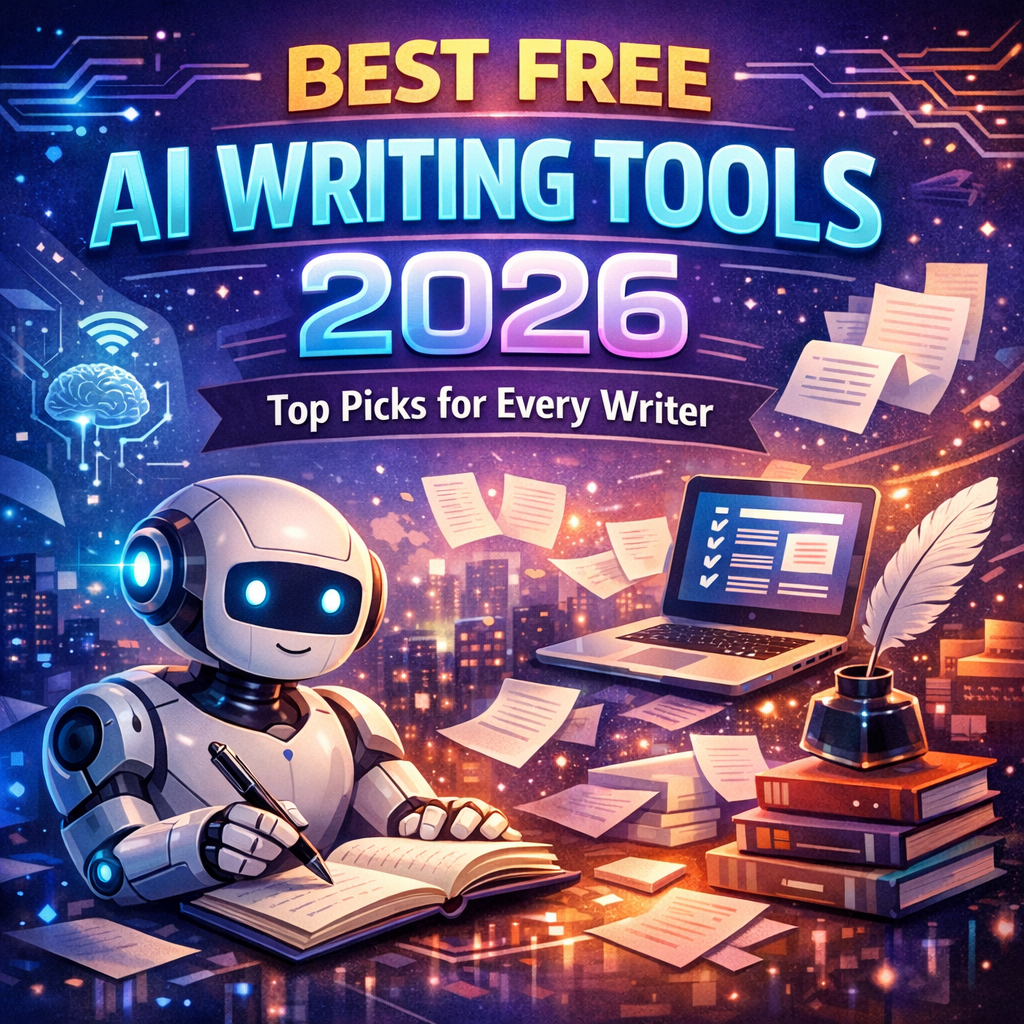
Best Free AI Writing Tools 2026: Top Picks for Every Writer
- Why Free AI Writing Tools Have Gotten So Good
- What to Look for in a Free AI Writing Tool
- Output Quality
- Free Tier Generosity
- Use Case Coverage
- Ease of Use
- Plagiarism and Originality
- The Best Free AI Writing Tools in 2026
- 1. ChatGPT (Free Tier by OpenAI)
- 2. Google Gemini (Free Version)
- 3. Microsoft Copilot (Free Version)
- 4. Claude (Free Tier by Anthropic)
- 5. Rytr (Free Plan)
- 6. Writesonic (Free Plan)
- 7. Notion AI (Free Basic Access)
- How to Get the Most Out of Free AI Writing Tools
- Combine Multiple Tools Strategically
- Master Prompt Engineering
- Always Edit and Fact-Check
- Track Your Free Tier Usage
- The Future of Free AI Writing Tools
- Conclusion
Best Free AI Writing Tools 2026: The Ultimate Guide for Writers, Marketers, and Creators
Whether you’re a seasoned content marketer, a freelance writer, a student, or a small business owner trying to stretch every dollar, one thing is clear: AI writing tools have fundamentally changed how we create content. And the best news? You don’t always need to pay a premium to access powerful capabilities.
As we move through 2026, the landscape of free AI writing tools has matured significantly. What was once limited to basic autocomplete features has evolved into sophisticated platforms capable of drafting blog posts, crafting marketing copy, writing emails, generating social media content, and much more — all without reaching for your credit card.
This guide breaks down the best free AI writing tools 2026 has to offer, what makes each one stand out, who they’re best suited for, and how to make the most of them.
Why Free AI Writing Tools Have Gotten So Good

A few years ago, free tiers for AI writing tools were little more than glorified demos. You’d get a handful of words generated before hitting a wall. That’s changed dramatically.
Several forces have driven this shift:
- Increased competition among AI platforms has pushed companies to offer generous free tiers to attract users
- Improved underlying models mean even lightweight versions deliver impressive output quality
- Open-source advancements have lowered the cost of running AI inference, allowing companies to pass savings on to users
- Monetization strategies have shifted toward premium features, meaning core writing functionality often stays free
The result is a rich ecosystem of tools that genuinely help you write better, faster, and smarter — at zero cost.
What to Look for in a Free AI Writing Tool
Before diving into specific tools, it’s worth knowing what separates a great free AI writing tool from a mediocre one.
Output Quality
Does the generated content read naturally? Is it factually grounded? Does it match the tone and voice you’re going for? Quality varies wildly between tools, so testing a few prompts before committing to any platform is always a smart move.
Free Tier Generosity
Some platforms offer unlimited free access with minor limitations. Others give you a small word count or a fixed number of generations per month. Understanding what you actually get for free prevents unpleasant surprises.
Use Case Coverage
Are you writing blog posts, social media captions, email subject lines, product descriptions, or academic essays? The best tools either handle multiple formats well or excel deeply at one specific type of content.
Ease of Use
A clean, intuitive interface matters. If you spend more time wrestling with the tool than actually writing, it’s not helping you.
Plagiarism and Originality
Free doesn’t mean low quality when it comes to originality. Look for tools that generate unique content rather than regurgitating templated phrases.
The Best Free AI Writing Tools in 2026
1. ChatGPT (Free Tier by OpenAI)
Best for: General writing, brainstorming, research assistance, long-form drafting
ChatGPT remains one of the most versatile and widely used free AI writing tools available in 2026. OpenAI’s free tier gives users access to GPT-4o, which represents a meaningful upgrade from earlier free-tier limitations.
What you can do for free:
- Draft entire blog posts and articles
- Generate creative writing and fiction
- Write and edit emails
- Brainstorm ideas, outlines, and angles
- Summarize documents and research
Strengths: Conversational interface makes it easy to iterate and refine. It handles nuance, tone adjustments, and complex instructions remarkably well. The ability to upload documents and images in the free tier adds significant value for writers doing research-heavy work.
Limitations: Free tier users may experience slower response times during peak hours and have limited access to the most advanced real-time web browsing features.
Pro tip: Use system-level instructions at the start of your conversation to set tone, persona, and style guidelines. Something like: “You are a professional content writer specializing in B2B SaaS. Write in a clear, authoritative but approachable tone.” This dramatically improves consistency across a writing session.
2. Google Gemini (Free Version)
Best for: Research-integrated writing, Google Workspace users, content ideation
Google’s Gemini has made significant strides and the free version in 2026 is genuinely impressive. Because it’s deeply integrated with Google’s ecosystem, it shines for writers who rely on Search, Docs, and Gmail.
What you can do for free:
- Generate and refine written content inside Google Docs
- Draft and suggest improvements for Gmail messages
- Research-backed writing with integrated Google Search
- Summarize long documents and web pages
- Brainstorm content ideas with real-time information
Strengths: The real-time web access available in the free tier sets Gemini apart. When writing about current trends, recent news, or fast-moving industries, having an AI that can pull fresh data is invaluable. The Docs integration also means you can work within familiar tools rather than switching between apps.
Limitations: Creative writing and nuanced tone adjustments can feel less polished compared to some competitors. The output sometimes leans toward a generic, encyclopedia-like style that requires manual editing.
Pro tip: When drafting in Google Docs, use the “Help me write” feature combined with specific, detailed prompts. Instead of “Write about AI trends,” try “Write a 400-word introduction for a business blog post about how mid-sized companies are adopting AI tools in 2026, aimed at non-technical marketing managers.”
3. Microsoft Copilot (Free Version)
Best for: Microsoft 365 users, professional writing, business documents
Microsoft Copilot’s free tier continues to be one of the most overlooked gems in the AI writing space. Powered by a combination of OpenAI models and Microsoft’s proprietary systems, it integrates directly into Word, Outlook, and Edge.
What you can do for free:
- Draft and refine documents in Word
- Generate email responses in Outlook
- Summarize long threads and meeting notes
- Write and improve professional reports and proposals
- Access web-integrated writing assistance through Edge
Strengths: If you live in Microsoft’s ecosystem, this tool is borderline essential. The ability to generate polished, professional writing in Word without leaving your document is a massive workflow improvement. Copilot also handles technical writing styles — business proposals, executive summaries, compliance documentation — better than most AI tools.
Limitations: The free tier has usage caps that power users will hit quickly. It’s less suitable for high-volume content production and more oriented toward occasional, high-quality professional writing tasks.
Pro tip: Use Copilot to handle the parts of business writing you find tedious — reformatting bullet points into prose paragraphs, transforming rough notes into polished meeting summaries, or drafting follow-up emails based on a brief description of the conversation.
4. Claude (Free Tier by Anthropic)
Best for: Long-form writing, nuanced content, thoughtful analysis
Anthropic’s Claude has developed a strong reputation for producing writing that feels more human, thoughtful, and nuanced than many competitors. The free tier provides meaningful access to Claude’s capabilities.
What you can do for free:
- Write long-form articles, essays, and reports
- Edit and improve existing drafts
- Generate thoughtful, nuanced analysis pieces
- Handle sensitive or complex topics with more care
- Produce creative writing with a distinct voice
Strengths: Claude tends to produce fewer hallucinations — fabricated facts presented confidently — than some alternatives. It also handles complex, multi-part instructions particularly well. Writers who care deeply about voice and tone often find Claude’s output requires less editing than other tools.
Limitations: The free tier limits the number of messages you can send per day, which can be frustrating during heavy writing sessions. Some specialized content formats, like SEO-optimized listicles, aren’t as naturally suited to Claude’s style.
Pro tip: Claude excels at taking something rough and making it excellent. Try pasting a mediocre first draft and asking it to rewrite with specific improvements: “Rewrite this section to be more concise, add one concrete example, and make the opening sentence more compelling.”
5. Rytr (Free Plan)
Best for: Short-form content, marketers, social media copy
Rytr is purpose-built for content marketing, and its free plan remains one of the most functional available. Unlike general-purpose AI chatbots, Rytr is structured around specific content use cases.
What you can do for free:
- Generate up to 10,000 characters per month
- Access 40+ writing use cases including blog intros, ad copy, product descriptions, and email templates
- Write in 30+ languages
- Use built-in tone of voice options
Strengths: The structured approach makes Rytr faster for specific tasks. Rather than crafting elaborate prompts, you select a use case, enter a brief description, and choose a tone. For marketers who need consistent, on-brand copy at volume, this workflow is highly efficient.
Limitations: The character limit on the free plan means it’s best suited for short-form content rather than long-form articles. Once you’re writing pieces over 1,500 words regularly, you’ll likely need a paid plan.
Pro tip: Use Rytr’s built-in use cases to generate multiple variations of the same content — headline options, different ad copy angles, email subject line alternatives — and then mix and match the strongest elements.
6. Writesonic (Free Plan)
Best for: SEO content, blog writing, website copy
Writesonic has positioned itself as an SEO-forward writing tool, and the free plan gives you a meaningful taste of what it can do.
What you can do for free:
- Generate a limited number of words per month
- Access blog post generators, landing page copy tools, and product description templates
- Use AI Article Writer for structured long-form content
- Generate meta descriptions and SEO titles
Strengths: Writesonic’s templates are well-designed for content that needs to perform in search. The Article Writer tool structures output with headings, subheadings, and natural keyword placement. For bloggers and content marketers focused on organic traffic, this is a significant advantage.
Limitations: The free word limit can feel restrictive for high-output content producers. The tool occasionally produces output that feels formulaic, which requires editing to inject genuine personality and depth.
Pro tip: Use Writesonic for structure and SEO scaffolding, then go back through the draft manually to add anecdotes, specific examples, and your own perspective. Think of it as a highly capable research assistant and outline builder rather than a finished content machine.
7. Notion AI (Free Basic Access)
Best for: Writers who organize their work in Notion, knowledge workers
Notion AI integrates directly into one of the most popular productivity and writing platforms in the world. While full AI access requires a paid add-on, the platform offers limited free AI interactions that are well worth exploring.
What you can do for free:
- Improve and edit existing writing inside Notion
- Generate summaries of your notes and documents
- Fix grammar, spelling, and tone
- Transform bullet points into prose
- Generate simple drafts within the Notion workspace
Strengths: The seamless integration is the killer feature. If you already plan, outline, and organize your content inside Notion, having AI assistance right there in the same workspace eliminates context-switching. It’s particularly powerful for content teams managing editorial calendars, briefs, and drafts in one place.
Limitations: The free AI interactions are limited, and the depth of generation isn’t as advanced as standalone AI writing tools. Notion AI is best thought of as a polish and editing layer rather than a primary drafting tool on the free plan.
How to Get the Most Out of Free AI Writing Tools
Using free tools effectively is less about which tool you pick and more about how you use them.
Combine Multiple Tools Strategically
Don’t limit yourself to a single tool. Use ChatGPT or Claude for drafting and brainstorming, Writesonic or Rytr for structured marketing copy templates, and Gemini for research-backed factual content. Each tool has strengths — play to them.
Master Prompt Engineering
The quality of your output is directly tied to the quality of your input. Specific, detailed prompts produce dramatically better results than vague requests. Include:
- The desired format (blog post, email, listicle)
- Target audience description
- Tone and voice guidance
- Length or word count
- Specific points to cover or avoid
Always Edit and Fact-Check
No matter how good the free AI writing tool, human review is non-negotiable. AI tools can produce inaccurate information, miss nuance, or generate text that doesn’t quite fit your brand voice. Use AI to generate the skeleton; you provide the soul.
Track Your Free Tier Usage
Most platforms reset monthly usage limits on a calendar month basis. Track where you stand with each tool so you can prioritize important projects and distribute your word count strategically across platforms.
The Future of Free AI Writing Tools
Looking ahead through the remainder of 2026 and beyond, several trends are worth watching:
- Multimodal writing assistance — tools that help you write in response to images, audio, and video inputs will become more common even in free tiers
- Personalization — AI tools will get better at learning your specific voice and style preferences over time, even without premium subscriptions
- Specialized vertical tools — free AI writing tools tailored to specific industries (legal, medical, technical) will emerge with deeper domain expertise
- Better fact-checking integration — real-time source verification will become a standard feature as the industry addresses hallucination concerns
Conclusion
The best free AI writing tools 2026 offers are more capable, more generous, and more accessible than ever before. Whether you choose the conversational versatility of ChatGPT, the research-integrated power of Google Gemini, the nuanced output of Claude, or the marketing-focused templates of Rytr and Writesonic, there’s a free tool ideally suited to your specific writing needs.
The key is approaching these tools not as replacements for human creativity, but as powerful amplifiers of it. They handle the heavy lifting of structure, drafting, and iteration so you can focus on the elements that make great writing truly great: insight, authenticity, and a genuine connection with your audience.
Start with one or two tools from this list, invest time in learning how to prompt effectively, and you’ll discover that some of the best writing assistance available in 2026 doesn’t cost a single dollar.