QuillBot Review 2026: Is This AI Writing Tool Worth It?
- What Is QuillBot?
- Who Is QuillBot Designed For?
- Students and Academics
- Bloggers and Content Creators
- ESL Writers
- Professional Writers and Copywriters
- QuillBot’s Core Features in 2026
- 1. The Paraphraser
- 2. Grammar Checker
- 3. AI Summarizer
- 4. Plagiarism Checker
- 5. Citation Generator
- 6. Translator
- 7. Co-Writer (AI Writing Assistant)
- QuillBot Pricing in 2026
- Free Plan
- Premium Plan
- QuillBot Pros and Cons
- Pros
- Cons
- How Does QuillBot Compare to Competitors in 2026?
- QuillBot vs. Grammarly
- QuillBot vs. Wordtune
- QuillBot vs. ChatGPT / Claude
- Real-World User Experiences
- Is QuillBot Worth It in 2026?
- Final Verdict
QuillBot Review 2026: Is It Worth It?
If you’ve spent any time writing online — whether you’re a student, blogger, content marketer, or professional copywriter — you’ve almost certainly heard of QuillBot. This AI-powered writing assistant has been around since 2017, and over the years it has evolved from a simple paraphrasing tool into a full-blown writing suite packed with features designed to make your writing faster, clearer, and more polished.
But with so many AI writing tools flooding the market in 2025 and beyond, the real question is: does QuillBot still hold up in 2026? Is it worth the subscription cost, or have newer tools left it in the dust?
In this comprehensive QuillBot review, we’re going to dig deep into everything the platform offers — its features, pricing, pros, cons, and how it compares to the competition — so you can make an informed decision before you spend a single dollar.
What Is QuillBot?
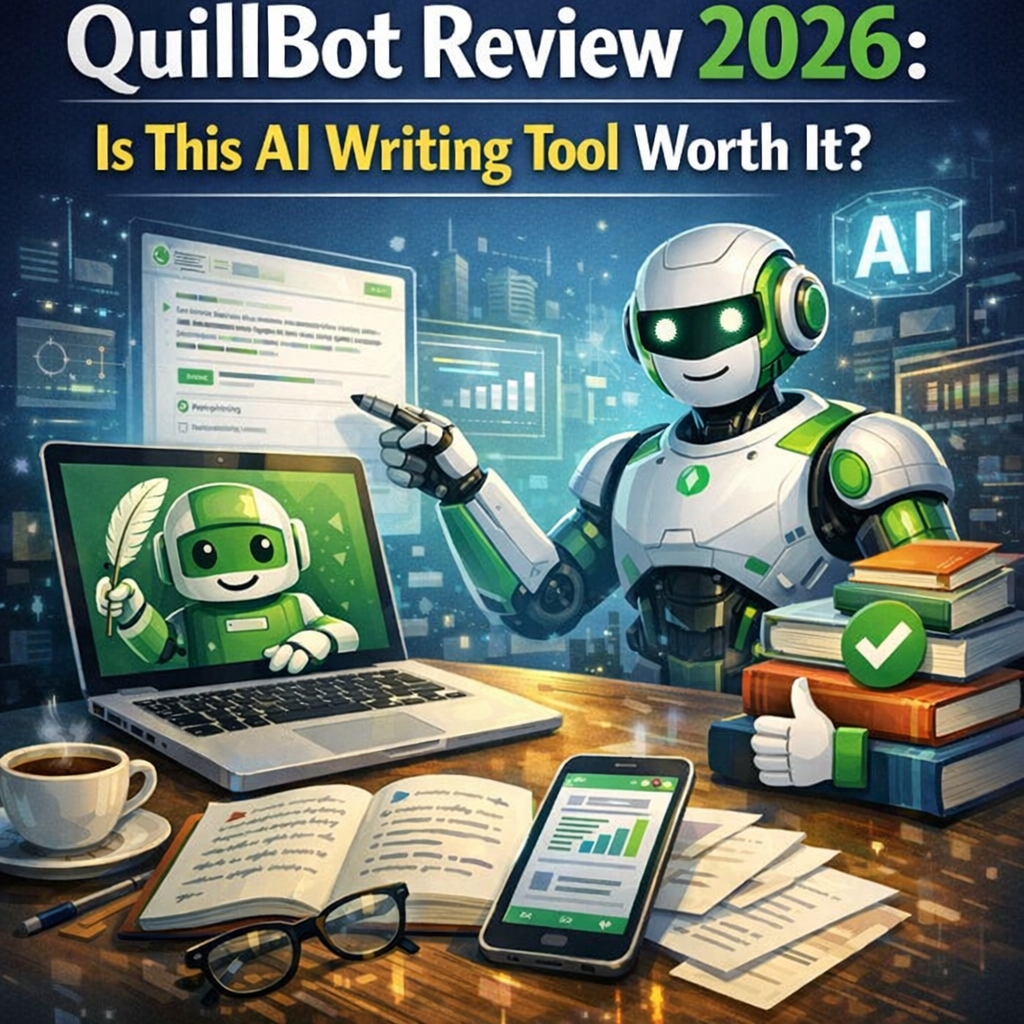
QuillBot is an AI-powered writing assistant that originally launched as a paraphrasing tool. Its core function was simple: paste in some text, and let the AI rewrite it for you in a different way while preserving the original meaning.
Over time, QuillBot expanded its feature set significantly. Today it’s positioned as an all-in-one writing platform that includes:
- A Paraphraser
- A Grammar Checker
- A Plagiarism Checker
- An AI Summarizer
- A Citation Generator
- A Translator
- An AI Writing Assistant (co-writer mode)
- A Proofreader
The platform is web-based and also integrates directly with Google Docs and Microsoft Word through browser extensions, making it accessible no matter how you prefer to write.
Who Is QuillBot Designed For?
QuillBot pitches itself to a wide audience, and honestly, it delivers value across several different user types:
Students and Academics
Students use QuillBot primarily to paraphrase research sources, avoid accidental plagiarism, and improve the clarity of their essays. The citation generator is a massive bonus for academic users who are tired of manually formatting references.
Bloggers and Content Creators
For bloggers who produce large volumes of content, QuillBot helps speed up the writing process, rework drafts, and tighten up prose. It’s not a full content generation tool, but it’s an excellent editing companion.
ESL Writers
Non-native English speakers benefit enormously from QuillBot’s grammar checker and paraphraser, which can help smooth out awkward phrasing and make writing feel more natural.
Professional Writers and Copywriters
Even seasoned writers use QuillBot to beat writer’s block, experiment with different tones, and quickly clean up rough drafts before submission.
QuillBot’s Core Features in 2026
Let’s break down each of the main features and evaluate how well they actually work.
1. The Paraphraser
This is still the heart of QuillBot, and it remains one of the best paraphrasing tools available. In 2026, the paraphraser has been refined with improved contextual understanding, meaning it does a better job of maintaining meaning while genuinely restructuring sentences.
Paraphrasing Modes include:
- Standard – Balanced rewrites that stay close to the original
- Fluency – Focuses on making text read more naturally
- Formal – Elevates the tone for professional or academic writing
- Simple – Simplifies complex language for a broader audience
- Creative – Takes more liberties with phrasing for a fresh spin
- Expand – Lengthens the text with additional detail
- Shorten – Condenses the content while keeping core meaning
- Custom – (Premium) Lets you set your own vocabulary and style preferences
Free users get access to Standard and Fluency modes. Premium users unlock all modes, which is where the real value starts to show up.
In practice, the paraphraser is impressively capable. Unlike basic synonym-swapping tools, QuillBot actually restructures sentences at a deeper grammatical level. For example, a clunky academic sentence like “The utilization of renewable energy resources has been observed to be increasing at an exponential rate” becomes “The use of renewable energy has been growing exponentially” in Fluency mode — which is genuinely better.
2. Grammar Checker
QuillBot’s grammar checker has improved considerably over the past couple of years. It catches standard errors like subject-verb agreement, comma splices, and misplaced modifiers, and it also flags stylistic issues like passive voice overuse and wordiness.
Is it as powerful as Grammarly? Honestly, not quite. Grammarly still has a slight edge in nuanced style suggestions. But for basic to intermediate grammar checking, QuillBot gets the job done — and if you’re already paying for a QuillBot subscription, the grammar checker is a solid bonus rather than a standalone reason to subscribe.
3. AI Summarizer
The summarizer lets you paste in long-form content — articles, research papers, reports — and get a condensed version. You can choose between two output modes: Key Sentences (pulls the most important lines from the original) and Paragraph (generates a cohesive summary in paragraph form).
For students doing research, this is a genuine time-saver. Skimming through a 40-page PDF and pulling out the key arguments in seconds is a legitimate productivity win.
4. Plagiarism Checker
QuillBot’s plagiarism checker scans your content against billions of web pages to flag potential matches. Free users get limited access, while Premium subscribers can run a certain number of plagiarism checks per month.
It works reasonably well for web-based plagiarism detection. However, if you’re writing academic content that needs to be checked against journal databases, you’re likely better served by a dedicated tool like Turnitin or iThenticate.
5. Citation Generator
For students, this feature alone might justify the subscription. You can input a URL, DOI, book title, or other source information, and QuillBot generates a properly formatted citation in APA, MLA, Chicago, Harvard, and several other styles.
It’s not perfect — always double-check your citations before submitting — but it dramatically reduces the time spent wrestling with citation format rules.
6. Translator
QuillBot supports translation across more than 30 languages. It’s a convenient feature to have built in, though for serious translation work, Google Translate or DeepL still offer broader language support and often more nuanced results.
7. Co-Writer (AI Writing Assistant)
The Co-Writer mode is QuillBot’s answer to the AI text generation trend. It combines the paraphraser, summarizer, and a basic text editor into a single workspace, allowing you to research, write, and refine all in one place.
It’s useful for drafting and brainstorming, but it’s not a replacement for a dedicated long-form AI writing tool like Claude or ChatGPT. Think of it as a smart text companion rather than a full AI content generator.
QuillBot Pricing in 2026
QuillBot offers a free plan and a Premium plan. Here’s how they break down:
Free Plan
- Limited paraphrasing (up to 125 words per input)
- Two paraphrasing modes (Standard and Fluency)
- Basic grammar checker
- Summarizer with limited inputs
- Basic plagiarism checks (very limited)
Premium Plan
- Unlimited paraphrasing
- All paraphrasing modes, including Custom
- Advanced grammar checker
- Full summarizer access
- Expanded plagiarism checks
- Priority processing speeds
- Compare modes side-by-side
As of 2026, Premium pricing is available in monthly, semi-annual, and annual billing options. The annual plan offers the best value, typically bringing the cost down to around $8–$10 per month, though exact pricing may vary by region and any ongoing promotions.
QuillBot also offers a Teams plan for organizations that need multiple seats and centralized billing.
QuillBot Pros and Cons
Let’s be honest about what works and what doesn’t.
Pros
- ✅ Excellent paraphrasing quality — still one of the best in the market
- ✅ Intuitive, clean interface — very easy to use even for beginners
- ✅ Wide feature set — covers grammar, summarizing, citations, translation, and more
- ✅ Google Docs and Word integration — works seamlessly within existing workflows
- ✅ Genuinely useful for students — citation generator and summarizer are standout tools
- ✅ Affordable annual pricing — competitive compared to alternatives
- ✅ Regular updates — the team continues to improve the platform year-over-year
Cons
- ❌ Free tier is quite limited — the 125-word cap makes it frustrating for serious use
- ❌ Grammar checker isn’t class-leading — Grammarly still edges it out for style suggestions
- ❌ Plagiarism checker isn’t ideal for academic databases
- ❌ Co-Writer mode is basic compared to dedicated AI writing tools
- ❌ Translation feature is functional but not best-in-class
- ❌ Can occasionally lose nuanced meaning in complex paraphrasing tasks
How Does QuillBot Compare to Competitors in 2026?
QuillBot vs. Grammarly
These two tools are often compared, but they serve slightly different purposes. Grammarly is the gold standard for grammar and style checking. QuillBot is the gold standard for paraphrasing and text transformation. If grammar checking is your top priority, Grammarly wins. If you need powerful paraphrasing capabilities, QuillBot wins.
Many writers actually use both — Grammarly for editing and QuillBot for rewriting and restructuring.
QuillBot vs. Wordtune
Wordtune is another popular paraphrasing and rewriting tool. It’s strong on tone adjustment and short-form rewrites. QuillBot tends to offer more flexibility with its multiple modes, longer input lengths, and broader feature set. For most users, QuillBot provides better overall value.
QuillBot vs. ChatGPT / Claude
Large language models like ChatGPT or Claude can technically perform many of the same functions as QuillBot — paraphrasing, summarizing, grammar checking. However, they require more prompting and aren’t as streamlined for writing-specific workflows. QuillBot is purpose-built for writing tasks, which makes it faster and more intuitive for those specific use cases.
For raw creative generation and long-form AI writing, ChatGPT and Claude are stronger. For refining and polishing your own writing, QuillBot remains highly competitive.
Real-World User Experiences
Across Reddit threads, Trustpilot reviews, and writing community forums in 2025–2026, the general consensus on QuillBot is positive with some caveats.
What users love most:
- The paraphraser is consistently praised as fast, reliable, and genuinely intelligent
- Students rave about the citation generator saving them hours of formatting work
- The Google Docs extension gets mentioned repeatedly as a workflow game-changer
Common complaints:
- Some users feel the free plan is too restrictive and acts more like a prolonged trial
- Occasional frustration when the paraphraser alters meaning in ways that require manual correction
- A few users have noted that customer support response times could be improved
Overall, QuillBot maintains strong user satisfaction ratings, with most Premium subscribers saying they’d recommend it — especially students and ESL writers.
Is QuillBot Worth It in 2026?
Here’s the bottom line after breaking everything down:
For students, QuillBot Premium is absolutely worth it. The paraphraser, citation generator, summarizer, and grammar checker form a powerful academic toolkit. If you write essays, research papers, or reports regularly, the time savings alone justify the cost many times over.
For content writers and bloggers, QuillBot is a strong choice — especially if you’re already producing high content volumes and need a reliable rewriting and cleanup tool. It won’t replace your creativity, but it’ll accelerate your workflow.
For casual or infrequent writers, the free plan might be enough to cover your occasional needs, though you’ll bump up against its limits faster than you’d expect.
For professional copywriters and marketers, QuillBot works best as part of a larger toolkit alongside a grammar tool like Grammarly and an AI writing assistant for generation. On its own, it won’t cover every need, but it fills a specific and valuable niche.
Final Verdict
QuillBot in 2026 is a mature, well-rounded writing tool that has earned its place in the AI writing landscape. It’s not trying to be everything to everyone, and that focused approach is actually part of its strength. The paraphraser is still best-in-class, the supporting features are genuinely useful, and the pricing remains reasonable for what you get.
If you write frequently and want a tool that helps you rework text, improve clarity, and speed up your editing process, QuillBot Premium is worth the investment. Try the free plan first to get a feel for the interface, then upgrade when you find yourself hitting the limitations — because you will.
In a world full of AI writing tools making increasingly bold promises, QuillBot keeps its head down and does what it does better than almost anyone else. And in 2026, that’s still worth a lot.
Have you used QuillBot recently? Share your experience in the comments below — we’d love to hear how it fits into your writing workflow.